As noted in my last post,
concerns are growing over the trend toward "Cloud-based" translation management solutions and the potential negative impact on interoperability between TEnT systems with the wrong approach. As Jost Zetsche noted, there is a need to push solution providers such as SDL, Kilgray, Atril, Wordfast et alia to develop working, open interfaces so various clients can be used with a given server solution in online projects.
From a somewhat different perspective, Hungarian translator Csaba Bán noted that bits and dribbles of text translated via
project management tools in the Cloud, while perhaps offering some efficiencies for an LSP or other company, too often unnecessarily fragment and waste the translator's time for inadequate compensation under most current schemes. I've heard a number of my clients talk about developing web-based "instant interfaces" for quickie translation service, and I know of a number of companies who have had something like this for years, but it all seems a bit like a sleazy back alley encounter on the fringes of a Red Light district with too great a chance of the translator's business suffering ill health from such indulgence. Cloud solutions which do not cleanly integrate with a translator's working environment tools but which require copying and pasting in various fields and windows are simply inefficient (despite some tools offering Clipboard integrations) and not very attractive. And appropriate minimum charges and premiums to offset the disruptions caused by too many dribbles during the day are called for. This requires some thought, and I can't pretend to offer any brilliant solutions to the dilemma, as I think each situation will have to be considered individually until a good set of general principles for best practice emerge. I have one such case I'm puzzling over myself right now: how to charge for "tweet translation" for a long-term client who runs a PR agency. So far I haven't, because the volume has been modest and fits well enough into the ordinary flow of our business discussions, but the case has me thinking.
As readers of this blog probably know, I am also involved in other types of Cloud-based project management for translation. When I began to encounter the first web-based administration interfaces with my agency clientele a decade ago, I hated them. In fact, I have dumped several otherwise rather good clients, some paying rates on par with decent direct clients, because I found their systems too cumbersome and prone to fault. One of the worst was a custom mess from an international LSP whose Swiss branch was a frequent customer; half the time, secure deliveries via their portal were simply impossible and I had to resort to insecure e-mail attachments. (Yes, these can be passworded, but that involves additional trouble.)
Gradually, decent standard solutions emerged. A number of my clients are happy with the German
Plunet solution; I favor
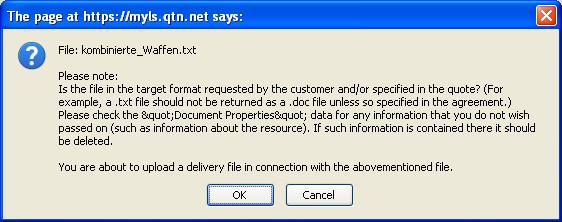
LSP.net's OTM, not because I localize the English interface but because it's comprehensive, legally secure, provides robust processes and archiving, is software as a service (SaaS) at
modest cost, and I don't have to screw around with the infrastructure at my dilapidated country estate with its lousy bandwidth availability; and there are other acceptable alternatives beside the rather nightmarish mess of the Open Source solution I once tortured myself with for several months (
Project ]open[ Translation). A good online administrative solution like this has many advantages over desktop or LAN solutions, and I have discussed many of these benefits in previous posts about
OTM. Even the best solutions I have seen, however, have one glaring weakness:
login management!!!
This is a big problem with many online applications. We all have too many damned passwords to juggle. When suddenly I have another dozen or two dozen logins to translation project administration systems for my agency and big corporate clients, things begin to get dicey if cookies, utilities like
KePass or other methods are not applied. Personally, I would like to see options for OpenID and other integrations as one is beginning to see with some of the social media. Despite the hassles sometimes involved here, I think Cloud-based tools of this kind are among the most useful for managing translation-related processes and making them secure. I use my OTM for encrypted deliveries of confidential files and for providing clients with full access to their project backup archives. This is a blessing if I'm off somewhere taking a break and someone desperately needs a copy of a translation I did last year which has gone missing.