Showing posts with label Fluency. Show all posts

Jan 8, 2019

Translating "smarter"

In response to my recent piece on the use of Fluency to translate Microsoft Publisher files, I received the following comments from the former's technical support:
It appears that you flat out ignored (or disabled) the warning message that pops up every time you try to open a Publisher file (attached).
There is no problem with Fluency with regards to Publisher. The issue lies in the fact that the Publisher interop is unstable. This (and the fact that professionals don’t use Publisher) are the reasons that CAT tools don’t support Publisher.
Are you hoping to ridicule us to encourage us to fix Publisher support? We’d just as soon remove support for it altogether, but we do have a few users who are grateful for it and understand that they might have to restart their computer a few times or kill the Publisher process that is frozen in the background. Another option that works, sometimes, is to try and save multiple times, which you discovered, but incorrectly attributed to resizing the view of the text (which doesn’t affect the output).
So we let you know before you start that Publisher is unstable and you’ve just spent a bunch of time documenting how it is unstable. To what end?
As for our XLIFF files, yeah they aren’t great, but extremely rarely is someone exporting something from Fluency to another CAT tool.
Regards,
Richard Tregaskis
Western Standard Support
Em: support@westernstandard.com
Ph: 801-224-7404
I'm not sure about the part that "professionals don't use Publisher". Certainly graphics professionals don't; when I earned my bread that way I usually used software like PageMaker, Quark Xpress or FrameMaker, nowadays Adobe InDesign seems to be the tool of choice. But I wouldn't think of some engineer in a technical department who uses Microsoft Publisher to write a manual as being unprofessional. Just foolish maybe, but no more so than the ones who use CorelDraw or even MS PowerPoint (!!!) in the same crazy way. People make the choices they do in the circumstances they work in, and professionals try to meet them at least halfway where possible to accomplish the necessary objectives. Fluency does that in the case of Microsoft Publisher, but one would do a service to the customer to suggest that another publishing platform might suit their needs better in the same way that responsible translation consultants often suggest that PDF is perhaps not the ideal format to provide for translation, and that the original format (if it isn't a Microsoft Publisher file or paper) might work better for everyone.

What concerns me about the response of Fluency's technical support, however, is the apparent lack of concern for the compatibility of their XLIFF files. If these cannot be exchanged readily with other platforms, one must ask what actual purpose they serve. Indeed, what would that be? And, perhaps, whether Fluency is really to be taken seriously as a professional platform for translation work.

Some years ago in a period where it looked a bit dark for my platform of choice, I thought that Fluency showed promise as a working platform, and I made a serious effort to investigate its suitability for my routine work as a translator of legal and scientific material. I was charmed by the generally functional approach to transcription, but the translation side of things was less encouraging, riddled with bugs at nearly every stage. After a few days I ran screaming back to more stable, well supported work platforms. The handling of SDLPPX (SDL Trados Studio package files) in particular was the sort of disaster one doesn't easily forget; even with products whose developers care about functionality and compatibility there are issues time and again as the SDL Trados platform evolves. I can only imagine what would happen with Fluency Now if I tried out one of those test files that a friend at SDL likes to play tricks on me with.

XLIFF is serious business. These days it is often the basis not only of interoperable processes with CAT tools but for all manner of bilingual exchange processes. And thus, until the technical support and/or development department of a tool takes this format seriously and makes a reasonable effort to ensure at least basic interoperability, that tool cannot be taken seriously for professional work.

That should be a question mark, not a period :-) 

Jan 4, 2019

Translating Microsoft Publisher files

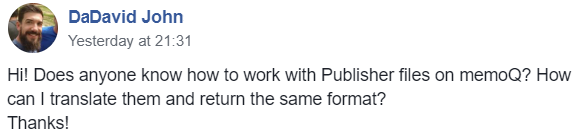
Every few months or so I run across a question in social media or am confronted with a project like this:


Some time ago, Paul Filkin published an interesting discussion of an Open Exchange application that enables SDL Trados Studio users to deal with the Microsoft Publisher format with some limitations; in the article, he also discussed other approaches, including one I have known about for some time: the use of Western Standard's Fluency

I looked at Fluency some years ago, and while I found some interesting things there, such as its transcription module, on the whole the application never seemed ready for prime time with its sloppy programming of details. I spent some time trying to persuade its underfunded team to correct some of the problems I saw, but after a while it became clear that the company and its product were not able to cope with the demanding technical challenges routinely faced by language service providers today.

The discussion which followed the posted question suggested a number of approaches, but if the colleague's client expected to receive a translated PUB file instead of some other format, the only realistic option for this possibly one-off job would be to use Fluency in some way. I assumed (and suggested) that a workflow involving
  *.pub <-> Fluency <-> (exchange format) <-> memoQ
might do the trick (with the exchange format probably being XLIFF, but otherwise the bilingual RTF format that I remembered from my tests of Fluency long ago.)

And so it proved to be. But the Devil is in the details.

The first sign of trouble came from a colleague - a professor at a local university who is known for his technical curiosity and flexibility in translation courses - who told me that Fluency does indeed offer an XLIFF export but that memoQ experienced problems importing it. His description of the error message sounded a lot to me like the typical mistakes that CAT tool programmers who are XLIFF newbies make when implementing a spec that they are probably too lazy to read and test. (I found the same error myself and submitted it to memoQ Support for comment a few hours ago.) He said that he had then tried the RTF export, but it wasn't clear to me what the result was and he was under time pressure, so I didn't press the matter but resolved to have a look myself.

I used a modified English template file for an invitation as my PUB file to test. The file imported easily into Fluency:

I assume that "terminology" download is some silly, unhelpful public domain dictionary I would never use.

The Fluency user interface offered a sort of WYSIWYG representation for the text, which makes it appear not bad for work, though appearances are deceiving. In fact, this proved to be a source of some trouble later.

As mentioned, the XLIFF export could not be used in memoQ, and although I am capable enough of analyzing structure problems in a tagged file, I wasn't in the mood to clean up someone else's mess, so I exported a "Fluency Work File" as my next attempt. That is app jargon for a bilingual RTF file similar to that found in other applications.


The difference with Fluency RTFs is that they include the WYSIWYG text representation. Nice, really, and this makes the work in another environment a little easier. I copied the source text column and pasted it into a new file (DOCX), then imported that to memoQ for translation:


Afterward, the translation exported from memoQ was pasted into the target column of the Fluency Work File (bilingual RTF exchange file). I imported that bilingual file back into Fluency and then exported a translated PUB file using the File / Save As command. I got a strange error message saying that there had been some trouble with the export and that some manual adjustment might be needed in Microsoft publisher.


At first glance I thought, "Looks OK" and then... WTF???  Everything was OK except the title. Not only was the text cut off, it was not even the text I had translated in German. When I copied the text out of the field and pasted it into Notepad, this is what I saw:
Tag der Tag der kulturellen Vielfalt
kulturellen Vielfalt
Vielfalt
kulturellen Vielfalt
Vielfalt
kulturellen Vielfalt
Vielfalt
No joke. Fluency somehow went berserk exporting the text of the title field, and sliced, diced and multiplied the whole mess in a truly bizarre way.

In my nearly 5 decades of casual and occasionally professional programming I have seen almost every stupidity imaginable, so in this case I imagined that somehow the problem lay in sloppy programming associated with text that is longer than the space provided in the field. Interestingly, Fluency enabled me to change the size of the target text in the translation window, so I reduced it by about half and tried to export a new target PUB file.


That worked in fact. So Fluency can indeed be used as a sort of filter for Microsoft Publisher files to be translated in other tools such as memoQ, but the process is not without trouble on the Fluency side, at least when text overruns the field size available, as one might expect to happen with some frequency.

Western Standard offers a 15-day trial of Fluency Now, their desktop tool for freelance translators, and the application can be paid on a monthly subscription of only 15 US dollars. So perhaps for the occasional project or client that requires work with PUB files that is an option. Microsoft Publisher is not taken seriously as a layout and publishing tool by graphics professionals and CAT tool providers, but because it is part of the Microsoft Office suite, one will find it in use from time to time, and this imperfect solution may be the best option for helping such clients.

Feb 21, 2015

CAT tools re-imagined - an approach to authoring and editing


I am often asked about the monolingual editing workflows I have used for some 15 years now to improve texts which were written originally in English, not created by translation from another language. And I have discussed various corpus linguistics approaches, such as to learn the language of a new specialty or the NIFTY method often presented by colleague Juliette Scott.

However, on a recent blitz tour of northern Portugal to test the fuel performance of the diesel wheels which may take me to the BP15 and memoQfest conferences in Zagreb and Budapest respectively later this year, I stopped off in Vila Real to meet a couple of veterinarians, one of whom is also a translator. During a lunch chat with typically excellent Portuguese cuisine, the subject of corpus research as an aid for authoring a review paper came up. I began to explain my (not so unusual) methods of editing and existing document when I was asked how the tools of translation technology might be applied to authoring original content.

The other translator at the table said, "It's a shame that I cannot use my translation memories to look things up while I write", and I replied that of course he could do this, for example with the memoQ TM Search Tool or similar solutions from other providers. And then he said, "And what about my term bases and LiveDocs corpora?", and I said I would sleep on it and get back to him. In the days that followed, other friends (coincidentally also veterinarians) asked my advice about editing the English of the Ph.D. theses and other works they will author in English as non-native speakers of that language. One of them noted that it would be "nice" if she could refer to corrections made by various persons and compare them more easily. I said I would sleep on that one too.

A few days after that the pain in my hands and feet from repetitive strain injuries and arthritis was unbearable, aggravated by a rope burn accident while stopping an attack on sheep by my over-eager hunting dog and by driving over 1000 km in a day. I doubled down on the pain meds, made a big jug of toxically potent sangria and otherwise ensured that I was comfortably numb and could enjoy a night of solid sleep.

It was not meant to be. Two hours later I woke up, stone sober, with a song in my head and the solution to the problem of my Portuguese friends writing in English and Tiago wanting to author his work in memoQ for the convenience of using its filters to review content. Since then the concept has continued to evolve and improve as others suggest ways of accommodating their writing or language learning needs.


After about a week of testing I scheduled one of my "huddle" presentation classes, an intimate TeamViewer training session to discuss the approach and elicit new ideas for adapting it better to the needs of monolingual authors. The recording of that session is available for download by clicking on the image of the title slide at the top of this post. (The free TeamViewer software is needed to watch the TVS file downloaded; double-click it, and the 67-minute lecture and Q&A will play.)

I'm currently building Moodle courses which provide more details and templates for this approach to authoring and editing, and it will be incorporated in parts of the many talks and workshops planned this year.

I am aware that SDL killed their authoring product, the Author Assistant, and that Acrolinx offers interesting tools in this area, as do others. But I'm usually hesitant to recommend commercial tools in an academic environment, because their often rapid pace of development (such as we see with memoQ) can play serious havoc with teaching plans and threaten the stability of an instructional program, which is usually best focused on concepts and not on fast-changing details. So I actually started out my work and testing of this idea using the Open Source tool OmegaT, the features of which are more limited but also more stable in most cases than the commercial solutions from SDL, Kilgray and others. But as I worked, I noticed that my greater familiarity with memoQ's features made it an advantageous platform for developing an approach, which in principle works with almost every translation environment tool.

Part of my motivation in creating this presentation was to encourage improvements in the transcription features available in some translation environments. But the more I work with this idea, the more possibilities I see for extending the reach of translation technology into source text authoring and making all the resources needed for help available in better ways. I hope that you may see some possibilities for your own work or learning needs and can contribute these to the discussion.