Showing posts with label RTF. Show all posts

Jan 4, 2019

Translating Microsoft Publisher files

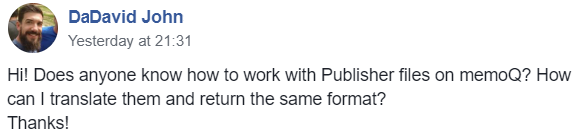
Every few months or so I run across a question in social media or am confronted with a project like this:


Some time ago, Paul Filkin published an interesting discussion of an Open Exchange application that enables SDL Trados Studio users to deal with the Microsoft Publisher format with some limitations; in the article, he also discussed other approaches, including one I have known about for some time: the use of Western Standard's Fluency

I looked at Fluency some years ago, and while I found some interesting things there, such as its transcription module, on the whole the application never seemed ready for prime time with its sloppy programming of details. I spent some time trying to persuade its underfunded team to correct some of the problems I saw, but after a while it became clear that the company and its product were not able to cope with the demanding technical challenges routinely faced by language service providers today.

The discussion which followed the posted question suggested a number of approaches, but if the colleague's client expected to receive a translated PUB file instead of some other format, the only realistic option for this possibly one-off job would be to use Fluency in some way. I assumed (and suggested) that a workflow involving
  *.pub <-> Fluency <-> (exchange format) <-> memoQ
might do the trick (with the exchange format probably being XLIFF, but otherwise the bilingual RTF format that I remembered from my tests of Fluency long ago.)

And so it proved to be. But the Devil is in the details.

The first sign of trouble came from a colleague - a professor at a local university who is known for his technical curiosity and flexibility in translation courses - who told me that Fluency does indeed offer an XLIFF export but that memoQ experienced problems importing it. His description of the error message sounded a lot to me like the typical mistakes that CAT tool programmers who are XLIFF newbies make when implementing a spec that they are probably too lazy to read and test. (I found the same error myself and submitted it to memoQ Support for comment a few hours ago.) He said that he had then tried the RTF export, but it wasn't clear to me what the result was and he was under time pressure, so I didn't press the matter but resolved to have a look myself.

I used a modified English template file for an invitation as my PUB file to test. The file imported easily into Fluency:

I assume that "terminology" download is some silly, unhelpful public domain dictionary I would never use.

The Fluency user interface offered a sort of WYSIWYG representation for the text, which makes it appear not bad for work, though appearances are deceiving. In fact, this proved to be a source of some trouble later.

As mentioned, the XLIFF export could not be used in memoQ, and although I am capable enough of analyzing structure problems in a tagged file, I wasn't in the mood to clean up someone else's mess, so I exported a "Fluency Work File" as my next attempt. That is app jargon for a bilingual RTF file similar to that found in other applications.


The difference with Fluency RTFs is that they include the WYSIWYG text representation. Nice, really, and this makes the work in another environment a little easier. I copied the source text column and pasted it into a new file (DOCX), then imported that to memoQ for translation:


Afterward, the translation exported from memoQ was pasted into the target column of the Fluency Work File (bilingual RTF exchange file). I imported that bilingual file back into Fluency and then exported a translated PUB file using the File / Save As command. I got a strange error message saying that there had been some trouble with the export and that some manual adjustment might be needed in Microsoft publisher.


At first glance I thought, "Looks OK" and then... WTF???  Everything was OK except the title. Not only was the text cut off, it was not even the text I had translated in German. When I copied the text out of the field and pasted it into Notepad, this is what I saw:
Tag der Tag der kulturellen Vielfalt
kulturellen Vielfalt
Vielfalt
kulturellen Vielfalt
Vielfalt
kulturellen Vielfalt
Vielfalt
No joke. Fluency somehow went berserk exporting the text of the title field, and sliced, diced and multiplied the whole mess in a truly bizarre way.

In my nearly 5 decades of casual and occasionally professional programming I have seen almost every stupidity imaginable, so in this case I imagined that somehow the problem lay in sloppy programming associated with text that is longer than the space provided in the field. Interestingly, Fluency enabled me to change the size of the target text in the translation window, so I reduced it by about half and tried to export a new target PUB file.


That worked in fact. So Fluency can indeed be used as a sort of filter for Microsoft Publisher files to be translated in other tools such as memoQ, but the process is not without trouble on the Fluency side, at least when text overruns the field size available, as one might expect to happen with some frequency.

Western Standard offers a 15-day trial of Fluency Now, their desktop tool for freelance translators, and the application can be paid on a monthly subscription of only 15 US dollars. So perhaps for the occasional project or client that requires work with PUB files that is an option. Microsoft Publisher is not taken seriously as a layout and publishing tool by graphics professionals and CAT tool providers, but because it is part of the Microsoft Office suite, one will find it in use from time to time, and this imperfect solution may be the best option for helping such clients.

Feb 23, 2014

Cleaning up a crappy OCR job for translation

It's a sad fact in the professional work of translators that a lack of understanding on how to deal effectively with various PDF formats causes enormous loss of productivity and results which are not really fit for purpose. The aggressive insistence of many colleagues possessed of a dangerous Halbwissen on using half-baked methods and inappropriate tools contributes to the problem, but, bowing to the wisdom about arguing with fools, I now mostly sit back with a bemused and amused smile and watch the tribulations of those who believe in salvation by PDF import filters and cheap or free OCR. "TANSTAAFL" is a true as it ever was.

Just before the weekend I got an inquiry from an agency client I rather like. Nice people, good attitude, but struggling sometimes trying to find their way with technology despite some in-country "expert" training. This inquiry looked a bit like ripe fish at first glance. The smell got stronger after I was told that because the corporate end client had converted the PDF for their annual report and begun to edit the mess (and comment it heavily too) in the OCR file that this would be all there was to work with. It was a thoroughly appetizing sight when imported into a translation environment:


There are so many issues in that tossed salad of translation terror that I don't even know where to start describing them.

The screenshot above was in memoQ. How does it look in SDL Trados Studio? Often just as messy. In this case, this was the result in an older version of Studio:

SDL Trados Studio choked and refused to import the file!

I do have the latest version of SDL Trados Studio 2014, but unfortunately it's on a system that does not yet Microsoft Office, because I refuse to bow to Microsoft's insistence that I must buy a Portuguese version of that software. No MS Office, no file import in this case with SDL Trados Studio. memoQ fortunately has not needed MS Office to import its old file formats since the release of memoQ 6.0.

Ugly OCR trash like this file is all too common at this time of year, and as I am busy compiling the syllabus for the workshop I want to do on better living with well-used technology for legal and financial translators, I felt obliged to take this one on as a teaching example. It's actually not as bad as it looks. On the other hand, the best approach may not always be obvious, and the best solution for one document may not apply as well or at all to another.

My first approach was to use Dave Turner's CodeZapper macros. This isn't as straightforward as it used to be since I downgraded from Microsoft Office 2003 to later versions; for some reason the toolbar refuses to stay loaded between work sessions, and there's no way I can keep track of all the abbreviations for macros on it.


I can't deal with anything more complicated than clicking the "CZL" option for "Code Zapper lite", which did a rather decent job on the heavy mess above:


But all was not quite as well as it seemed:


Text in the header and footer remained trashed, and the heavy use of comments and tabbed lists meant that there were plenty of legitimate tags to deal with which were just too confusing with the DVX-like mess of memoQ's default import and display for an RTF file.

So I went for a kinder, gentler approach. I changed my import filter settings in memoQ:


There is actually seldom any good reason to import an RTF or DOC file into memoQ using the default filter settings. And marking those two little checkboxes at the bottom often accomplishes much of what CodeZapper does. Sometimes less. A bit more in this case.


The header and footer texts were absolutely clean. Don't let the extra tags in this sample fool you: overall, there were fewer than in the code-zapped file. Now there are still a number of issues to be seen in the screenshot above, including paragraph breaks in the middle of a sentence and awful manual hyphenation (many instances of that in the whole text) and joys like badly placed comments and links which mess up the text and prevent term identification by the software:


Source editing features of memoQ (F2) enable issues like the two above to be dealt with easily:


After a bit of repair like this in the memoQ environment (where it is really much, much easier to fix the problems of bad comment and link placement), I copied the entire source text to the target to enable me to export a cleaner source text file. I then opened this file in Microsoft Word and used various search and replace operations to fix the bad hyphenation and other problems like excess spaces. Replacing the hyphens had to be done occurrence-by-occurrence, because the style of writing in German meant that there were many legitimate instances of hyphens followed by spaces.

After all was done, the "before and after" looked like this:

BEFORE

AFTER

The remaining tags were all legitimate formatting tags for comments, hyperlinks, tabs after section numbering, etc. These do, of course, require attention and add complexity to the work still, so they must be included in the charges for the job. memoQ makes this calculation particularly simple by allowing weighting factors to be specified in the analysis. These are the settings I typically use for a German source text:


I find this usually represents a fair minimum for the additional effort in translation and quality assurance that tags require. In this case, of course, time charges for the cleanup apply, but as you can probably guess from comparing the two analysis tables above, the customer is actually saving a lot of money by paying me to clean up the mess, and the results will be a lot more usable. My cleaned-up version of the source text will also be returned in case the authors intend to make more revisions in the source - this will save more time and money by avoiding redundant cleanup in that case.


Nov 30, 2013

The state of the upgrade: memoQ 2013 R2

The memoQ 2013 release started off on the wrong foot with me in many ways. I was deeply disappointed by the features that were previewed in Budapest at the last memoQfest, and I was even less happy after I saw what a hash had been made of one of the features I use most: comments. In fact, I wrote a rather annoyed blog post about that not long after the release. There was a lot of talk about "game-changing innovation", but frankly I really could not see it. My translating colleagues asked me if it was worth it to upgrade, and aside from my usual warnings about the need to wait for at least 2 or 3 months after any release for it to mature and stabilize, I just could not find any compelling arguments for a freelance translator to move from the stable, excellent 6.2 version to the rather dodgy 6.5 version, or "memoQ 2013" as it was rechristened.

Almost on the usual schedule, however, two months later the bugs were largely sorted out, the initial mistakes in the comment feature redesign were well fixed, and I no longer saw the memoQ 2013 release in the same dim light, but could actually see some benefits for my freelance colleagues to upgrade to that version and no actual harm in doing so. And as I got to know the fuzzy term matching feature better and saw how it helped me deal with typo-laden source documents or the usual spelling chaos of German technical writers, I began to see some very compelling value in memoQ 2013 for translators.

Most of the "game changers" talked about in May actually arrived a month ago with Release 2 of memoQ 2013. I did my best to lower expectations for this release, not because I think it is crap, but because I think this is one of the best CAT tool version upgrades I have seen in 13 years, and I knew it would need the usual time to mature. I think by the end of the year this version will have so much to offer that I would rather not have people stressing over the small stuff that I am confident will be fixed well.

However, I decided to live dangerously, and I switched over all my production work to use this version even before the official release. The first few weeks were not fun with all the little quirks I discovered and duly reported, but I encountered nothing data-destroying or really shocking, mostly just housekeeping details like somebody forgetting to vacuum the rug after gutting the whole house and giving it a nice remodel.

One month after the official release, memoQ 2013 R2 is far more reliable than I remember any memoQ version being one month after release. There has been steady refinement in its features, and I continue to discover hidden gems that I sometimes suspect most of the Kilgray team aren't even aware of yet because so much was added and changed, but not in a way that disrupted older work processes. I have a long shopping list of refinements that I think should be made to new features like the TM search tool (which has only actually worked on my system since the release of the 6.8.5 build about a week ago) or that ground-breaking monolingual review feature which (will probably be the next big CAT feature to copy), but even the new features I consider rather immature are already looking pretty damned good. I can't guarantee that this release can be trusted for all your work right now (though it actually seems pretty good to me right now), but since it can be safely installed in parallel with older versions, I definitely recommend taking a look and joining the conversation on refinements still needed. I think Kilgray has been very responsive to user feedback in this round, and I can't say I am anything but encouraged by what I have seen in the last month.

One very exciting change for me in the current build (6.8.6) is that the rather risky non-optional export of target text comments with DOCX files has been sorted out very nicely. The solution seems a little strange to me right now, but it's a great step forward with some excellent possibilities.


When I saw those "severity levels" added to the commenting features in memoQ 2013 (6.5), I had very little good to say about them. I still don't think much about how they are named and wish I could choose my own labels, but now I can only applaud their usefulness. Why? Because the addition of the five checkboxes above has given me the control I want over comments to be included in an exported translation of a DOCX file. I can cleanly separate the comments which are notes to myself from those for my project partners and comments for my customers. This is very helpful.

I do think it is odd that this control was placed at Tools > Options > Miscellaneous > Translation when the comment exports (as far as I know) only affect DOCX files, but if there are plans to extend this feature to other exported formats, then this makes sense. I would like to see similar filtering controls for the ordinary view filters (on that last tab where comment and tag filtering criteria can be specified) and for comment inclusion in a bilingual RTF export. Either of these would be an enormous help to my frequent work processes, because I use a lot of comments intended for different people, and sorting these out cleanly can be laborious.

In recent weeks I have been working on the new edition of my memoQ tips book and taking a very close look at "corners" of the software that I suspect very few have time or inclination to look in. And I've had days when it really felt like Christmas has come early. One discovery after another of nice little refinements, lots of incremental improvements, which added together give a total with what I feel is a lot of value. I'm writing way too many private thank-yous to some of the people at Kilgray for what I see as excellent new directions even if I am inclined to argue over some of the details.

Since the release of memoQ 6.2 and its follow-ups with the bilingual text/Excel filter, there has been such a steady flow of useful improvements to help individual translators work better that those who claim that all the effort of development has been spent catering to the corporate sausage-making interests of the low-paying cattle call crowd simply haven't been paying attention. Or they have been confused by Kilgray's occasionally appalling failure to organize their messages properly for different interest groups. If you're talking to a big group of freelance translators and start discussing "great server features to monitor your translators' productivity", don't expect blown kisses and showers of rose petals. Sometimes it's obvious that the makers of the tool don't always understand the importance of what they have created for our work. Well, why should they? We're the ones doing it. But I tell you, right now there is a lot more gold for individual translators in the memoQ mine than anyone realizes. That goes for me too. I am surprised by fat new nuggets I find almost every week.

Do I care that so much effort is spent on developing cutting edge project management features for memoQ translation servers, even ones that I think can be abused in some pretty awful ways by some companies whose business practices I detest? Well yes I do... I think it's great. Besides, I can actually come up with nice uses of those awful features. You can do a lot of things with a cutting-edge: chop up a tasty salad... or the local nursery school. Blame the fool, not the tool.

Kilgray has avoided the disastrous errors committed by Atril in the last decade as their market mis-focus and disastrous failure to get the maintenance revenue needed to fix and develop features steadily eroded the ability of its loyal users to cope with a changing market. There was nearly a complete failure to compete for the business of translation agencies and corporate and government translation departments. And the solutions that prevailed in those quarters were mostly rather awful. I watched whole departments of Siemens traumatized by the disastrous Trados Teamworks, which made a number of those in the translation team of the medical products division look forward to retirement.

Kilgray has steadily built its business in the markets ignored by Atril a decade ago and in doing so has secured its future far better and ensured the funding of a truly remarkable series of improvements in the four and a half years I have been using memoQ. And now... when I look at the features of the recent SDL Trados 2014 release I see good things that I have known from other tools for a long time for the most part, nice to have really, but as I stifle a yawn I wonder if it all really has to be so complex since I'm not depending on consulting or training for SDL to pay my bills. And then I get back to memoQ and keep getting rocked by the "wow factor" as I find useful new things while trying to concentrate and get a job done. memoQ 2013 R2 is one of the worst offenders I've seen in a long time for its very real threats to make my work a lot easier and more fun!

Jun 16, 2012

memoQuickie: footnote, cross-reference & index entry segmentation in Microsoft Word files

If you have a Microsoft Word DOC file or RTF to translate, it is important to be aware of the different behaviors of the memoQ import filter options you can use. If there are footnotes, cross-references or index entries, it is far better to use the option to import the DOC or RTF file as DOCX.

The DOC file shown below has a footnote, a cross-reference and an index entry:


Adding it to a memoQ project with the default filter for Microsoft Word in memoQ 5


gives the following segmentation result:


Importing the same document with the DOCX option of the filter


yields much cleaner segmentation and better tags to work with:


Compare what some other programs do with this file:

WordFast Pro
DVX2 (DOC)
DVX2 (DOCX)

TagEditor salad (partial)

SDL Trados Studio 2009 segmentation

SDL Trados Studio 2011

There is room for improvement with most tools.